Set up exams in seconds — assign subjects, configure scoring limits, schedule dates, and publish to teachers for score entry.
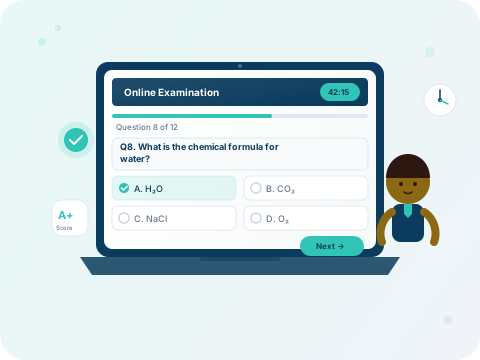
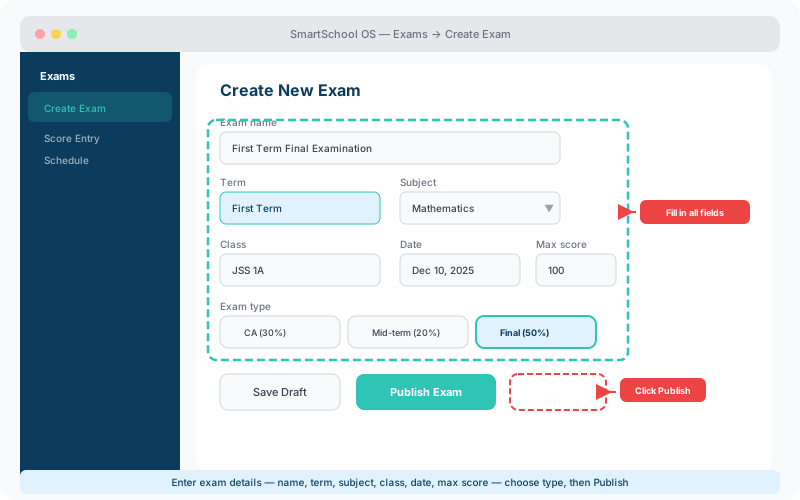
Every exam is scoped to the active term. Here's how to set one up:
SmartSchool OS supports multiple assessment types, each with configurable weights:
| Type | Typical weight | When used |
|---|---|---|
| Continuous Assessment | 30% | Weekly quizzes, assignments |
| Mid-term Test | 20% | Half-term examination |
| Final Examination | 50% | End-of-term exam |
💡 Tip
Weights can be customised per-subject. Some schools give practicals higher weighting in Science courses — set this up in the subject settings.
The scheduling view shows all exams across classes on a calendar grid. Key features:
Published exams become visible to teachers for score entry. Once published, the exam configuration is locked — subject, class, and max score cannot be changed to prevent inconsistencies during grading.
⚠️ Important
Double-check the maximum score and subject before publishing. Changes after publication require admin override and score re-entry.