Bring your entire team onto SmartSchool OS in minutes. Send email invitations, assign roles, or bulk-import staff from a spreadsheet.
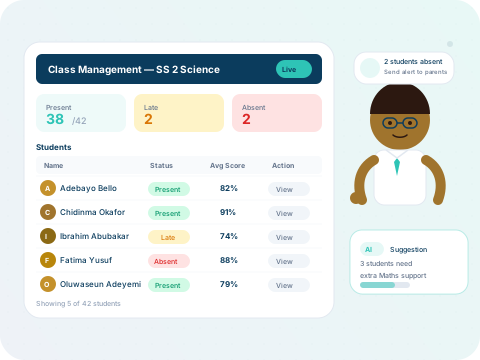
The fastest way to onboard staff. Each invitee gets a signup link that automatically connects them to your school workspace.
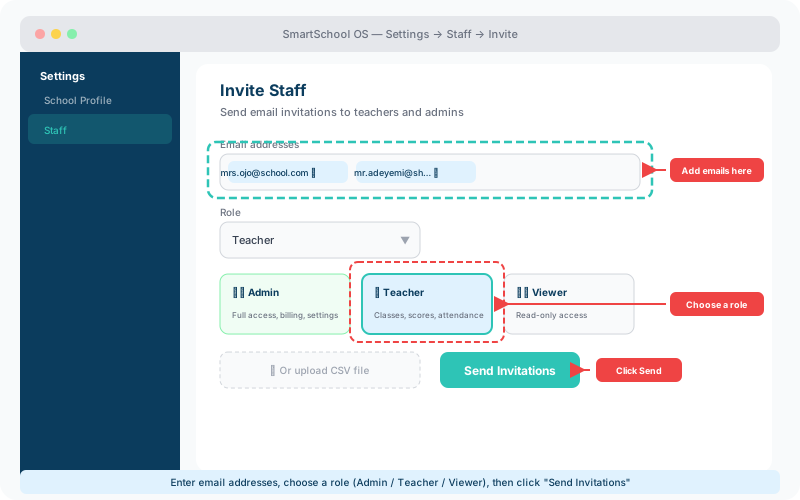
Each role controls what a staff member can see and do within your workspace:
🛡️
Admin
📚
Teacher
👁️
Viewer
For larger institutions with dozens of staff, upload a CSV file with columns for name, email, and role. The system validates entries, flags duplicates, and shows a preview before sending batch invitations.
💡 Tip
Download our CSV template from the Invite page to ensure your columns are correctly formatted.
When staff leave your institution, deactivate their account from the Staff panel. Deactivated accounts lose access immediately, but their data contributions — scores, attendance records, and reports — are fully preserved.
⚠️ Important
Deactivation is reversible. If a staff member returns, simply reactivate their account to restore full access.