Generate professional report cards for entire classes at once — with auto-calculated grades, AI-written teacher comments, and downloadable PDFs.
What you'll learn:
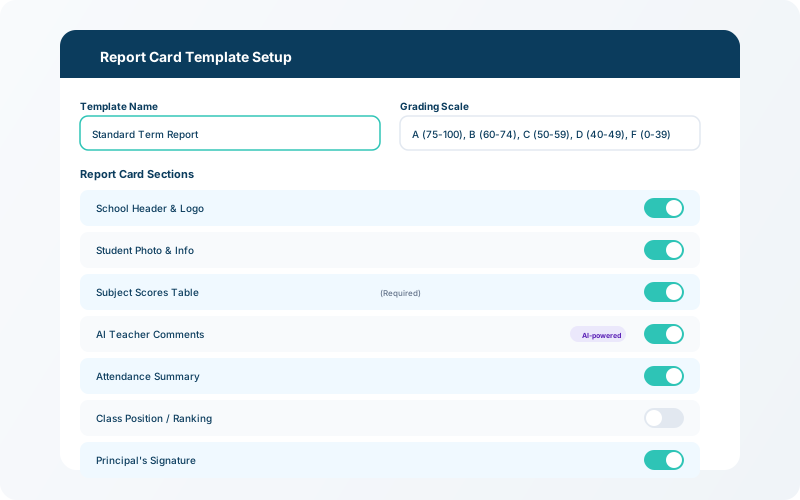
Go to Report Cards → Templatesto set up your school's report card layout. Configure the grading scale (e.g., A–F or percentages), choose which fields to show, and add your school logo and header.
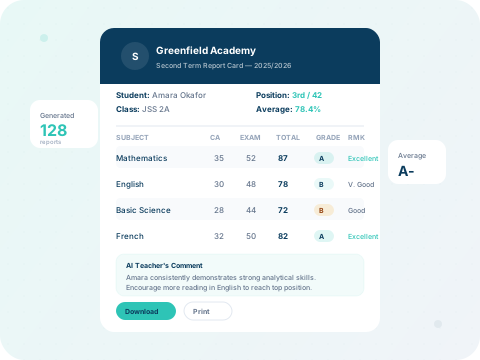
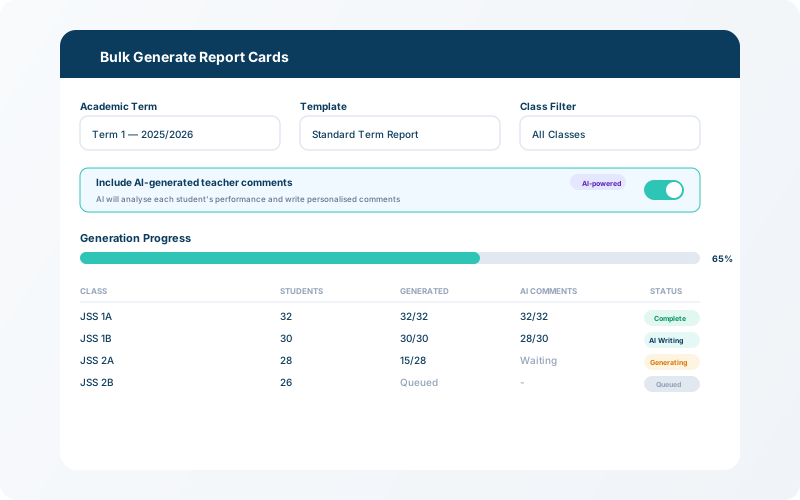
Select the class, term, and session, then click Generate All. The system pulls scores from the exam module, auto-calculates totals and grades, ranks students, and generates a report card for each student.
💡 Tip
AI-powered teacher comments are generated automatically based on each student's scores — review and edit before publishing.
Preview each report card before publishing. Download individual PDFs or a combined PDF for the entire class. Parents can also view report cards directly in their portal.