Monitor your AI credit balance, track consumption by operation and teacher, and forecast when you'll need more credits.
The top row shows three key metrics at a glance:
342
Credit balance
Remaining credits this cycle
158
Used this cycle
Credits consumed since last reset
Reports
Top operation
Most credit-intensive feature
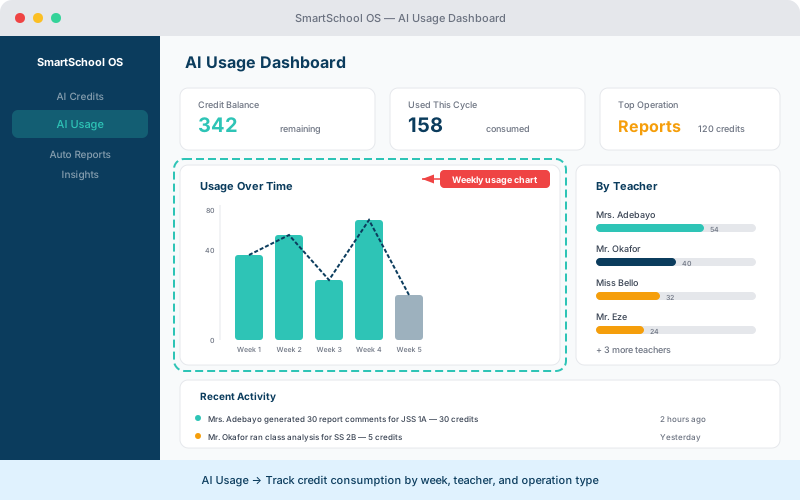
The timeline shows every AI operation with full details:
Based on your usage patterns, the dashboard projects when you'll exhaust your monthly credits and recommends whether a top-up or plan upgrade is appropriate.
💡 Tip
Enable low-balance alerts in Settings → AI to get notified when your credits drop below a threshold you set.
Admin users can see credit consumption broken down by teacher. This helps identify which teams are leveraging AI features most effectively and where training may be needed.
⚠️ Note
Team usage data is only visible to admin users. Teachers can see their own consumption but not other staff members' usage.