SmartSchool OS uses a hierarchical role system that controls every module and data point a user can access. Assign the minimum privilege each person needs.
Five predefined roles cover all school operations:
| Role | Scope | Key permissions |
|---|---|---|
| Super Admin | Platform | Full access, billing, multi-campus oversight |
| School Admin | Workspace | Manage staff, students, exams, reports, settings |
| Admin | Workspace | Same as School Admin without billing access |
| Teacher | Assigned classes | Attendance, scores, AI reports for own classes |
| Parent | Own children | View reports, attendance, announcements |
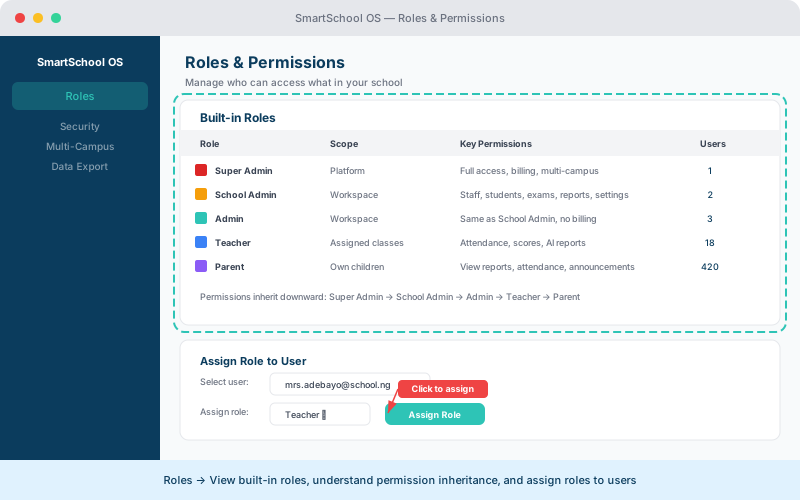
Permissions flow top-down. A higher role inherits all permissions of lower roles, plus additional capabilities:
Roles are assigned during staff invitation or changed later from the Staff panel:
⚠️ Important
A user can only hold one role at a time. Changing a role immediately revokes the previous permissions.
Every role change is logged with the admin who made the change, the timestamp, and the previous and new role. Access the audit log from Settings → Audit trail.
💡 Tip
Review the audit trail monthly to ensure no unnecessary privilege escalations have occurred.